Never miss
a cue again.
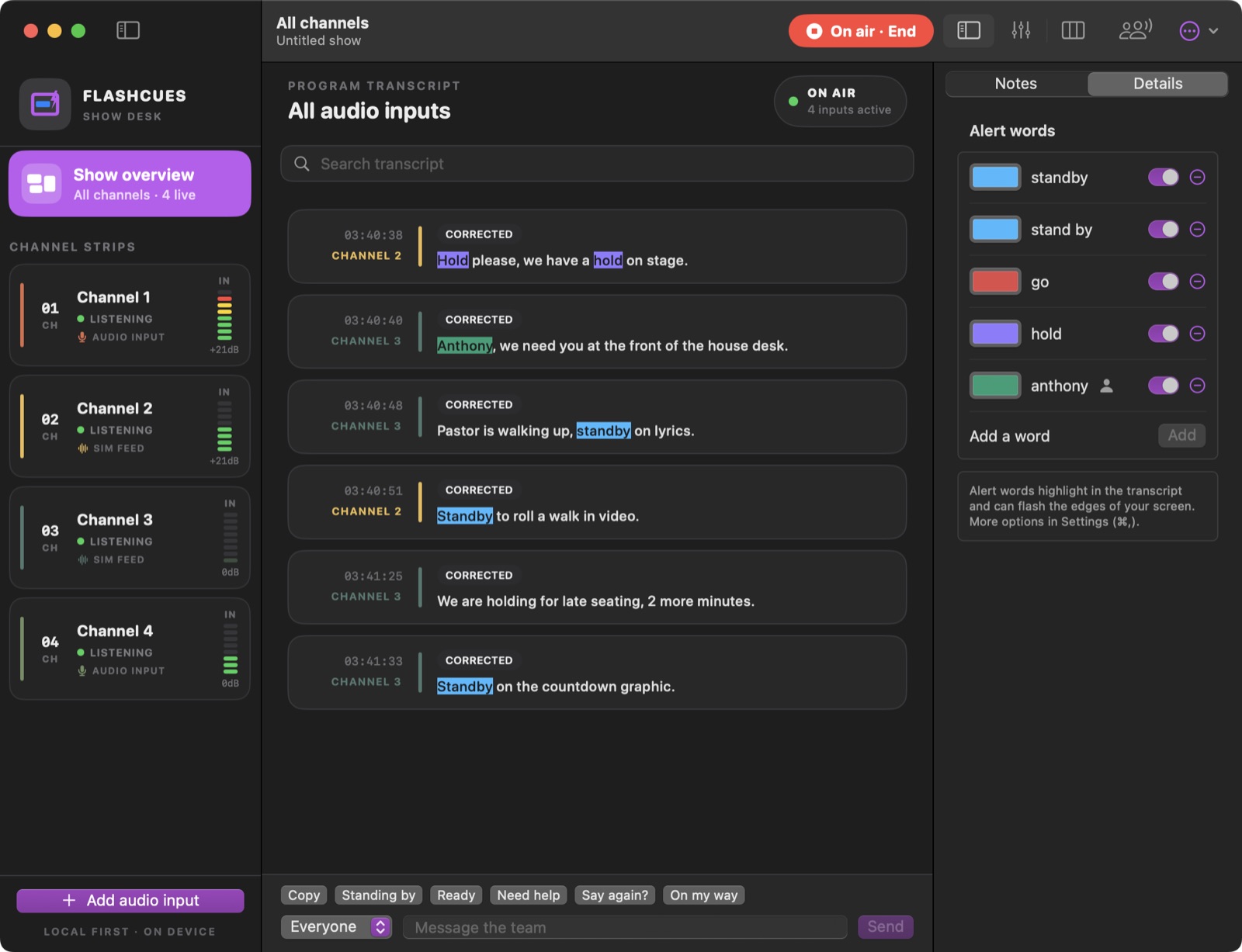
Your comms, as live text on your Mac. Your screen flashes the moment it hears “standby,” “go,” or your name.
Now in beta. Coming soon to the Mac App Store.
Loud booth. Crackly headset.
Three people talking at once.
FlashCues listens alongside you, so a missed word never becomes a missed cue.
Live transcript
Every call in writing, timestamped and labeled by channel. Missed it? Just glance back.
Your words. Your colors.
Standby, go, hold, a cue number, your name. Choose which ones flash the screen.
Two-pass accuracy
Text appears instantly. Then a larger model rechecks each line and fixes what it misheard.
Every channel at once
Follow several audio inputs side by side, each color-coded so you know who’s calling.
Private by design
Runs entirely on your Mac. No cloud. No account. No data collected.
Phone alerts
Optional push notifications when your name is called, sent to an ntfy topic you control.
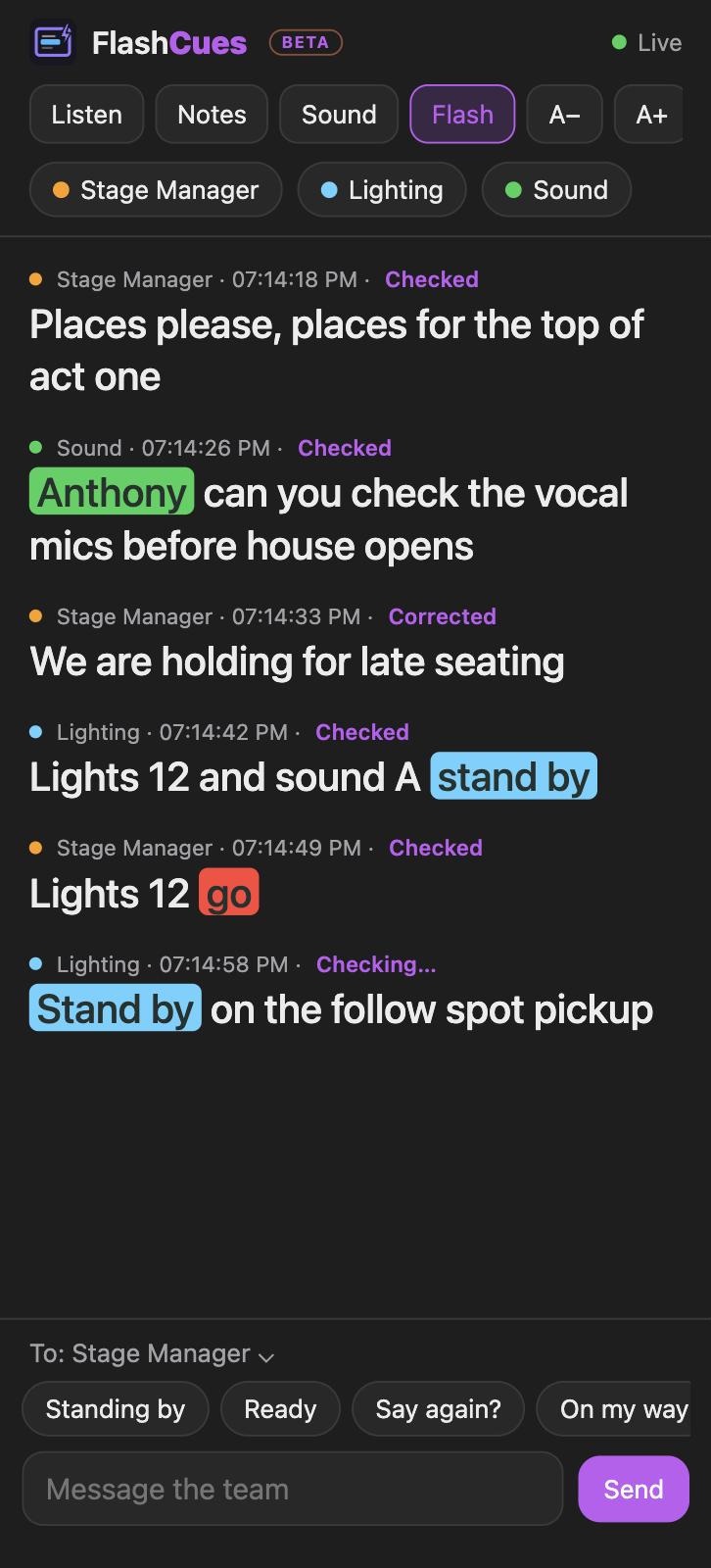
Live on your team’s phones.
Your team opens a link and follows every call, with flashes and one-tap replies like “Standing by.” No app to install. It stays on your Wi-Fi.
Three steps to Go live.
- Pick an input. A USB interface, a belt-pack feed or the built-in mic.
- Add your words. The calls that matter to you, each with its own color.
- Press Go live. Your screen lights up when a cue comes through.
Made for your booth.
Classic
Channels on the left, transcript in the middle, details on the right.
Console
One transcript with channel strips along the bottom, like a mixing desk.
Columns
A column per channel, made for a wide booth display.
Switch any time with ⌘1, ⌘2 and ⌘3.
Join the beta.
One-time purchase. Instant download.
Help shape FlashCues before it arrives on the Mac App Store.
Requires macOS 14 or later. Apple silicon and Intel.
Secure checkout by Lemon Squeezy.
Questions? Answers.
What does “beta” mean?
FlashCues is ready to use, but still being polished. Expect improvements and the odd rough edge, and please tell us what you find.
Why does macOS ask me to confirm the first time?
The beta isn’t notarized by Apple yet, so macOS asks you to confirm you trust it. It’s a one-time step that takes about 30 seconds, and the “Read Me First” file in the download walks you through it. The Mac App Store version won’t need it.
Will it be on the Mac App Store?
Yes, it’s coming soon.
Does it need the internet?
Only once, to download the speech model (about 700 MB) after you agree. After that it works completely offline.
What audio can it listen to?
Any input your Mac can see: a USB audio interface, a comms belt-pack feed, or the built-in mic.
Is my audio uploaded anywhere?
No. Audio is processed on your Mac and transcripts are saved only on your Mac. See the privacy policy.
Still curious? velardeco@icloud.com